Еда

Connect Еда to ChatGPT

Screenshots were taken on an iPhone. Chrome on Android looks almost the same.
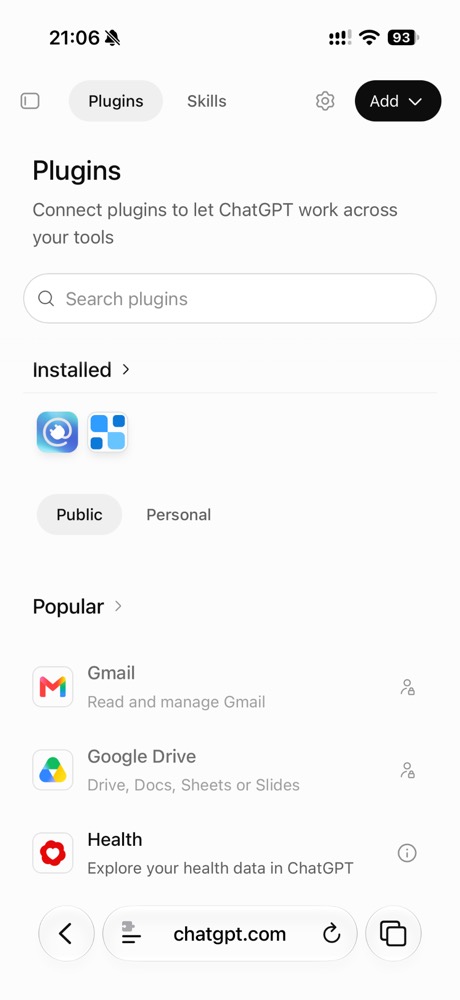
  1. Open the ChatGPT Plugins page

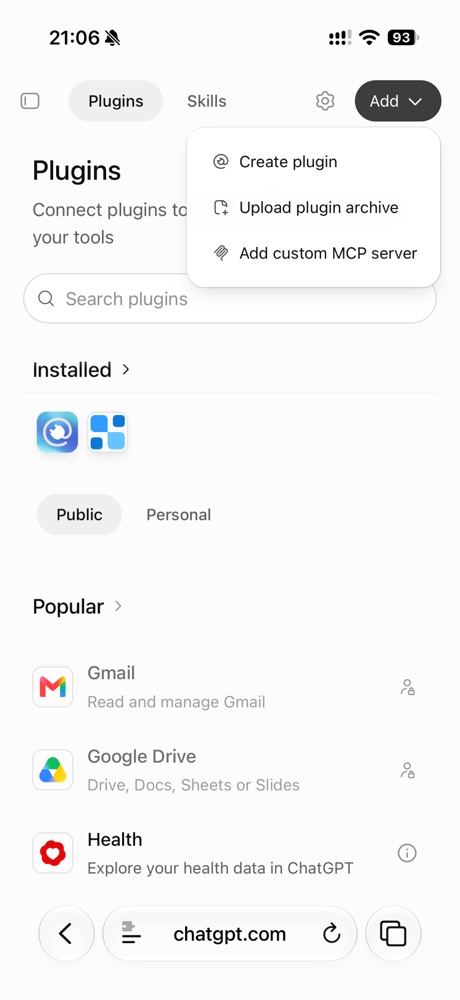
    Tap Add at the top right.

    Open ChatGPT Plugins ↗

    Open ChatGPT Plugins ↗

    ChatGPT Plugins page; the Add button at the top right
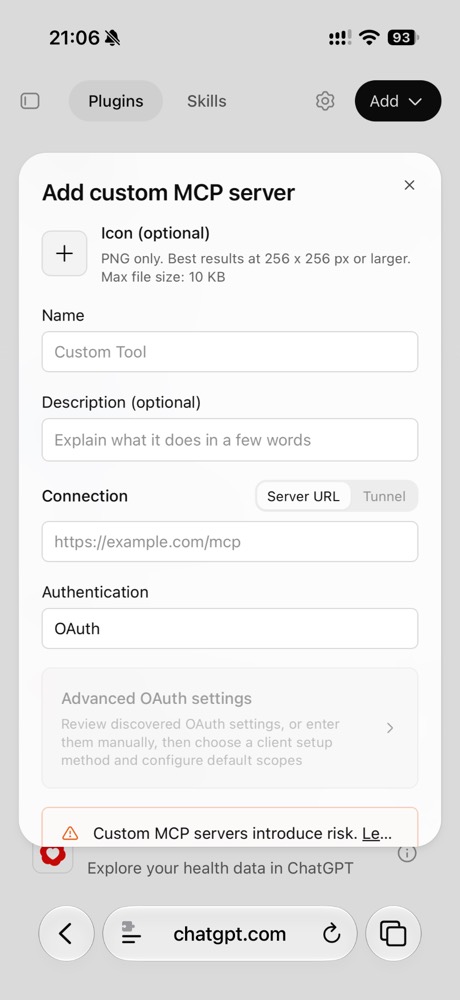
  2. Choose Add custom MCP server

    The Add menu with Add custom MCP server
  3. Fill in Name and Description

    Copy and paste them into the form.

    Name
    Еда
    Description
    Private food diary

    Add custom MCP server form: Name and Description fields
  4. Download the icon

    Tap Download icon, then Download.

    Tap Download icon and Chrome saves the file to Downloads.
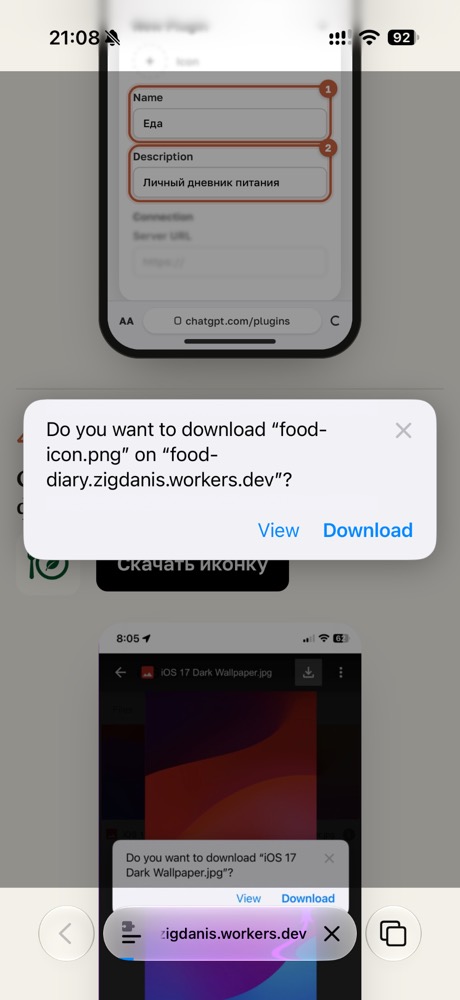
    Safari asks whether to download food-icon.png; the Download button
  5. Back in the form, tap + next to Icon

    Choose Choose File in the menu.

    Choose Files in the menu, then the Downloads folder.
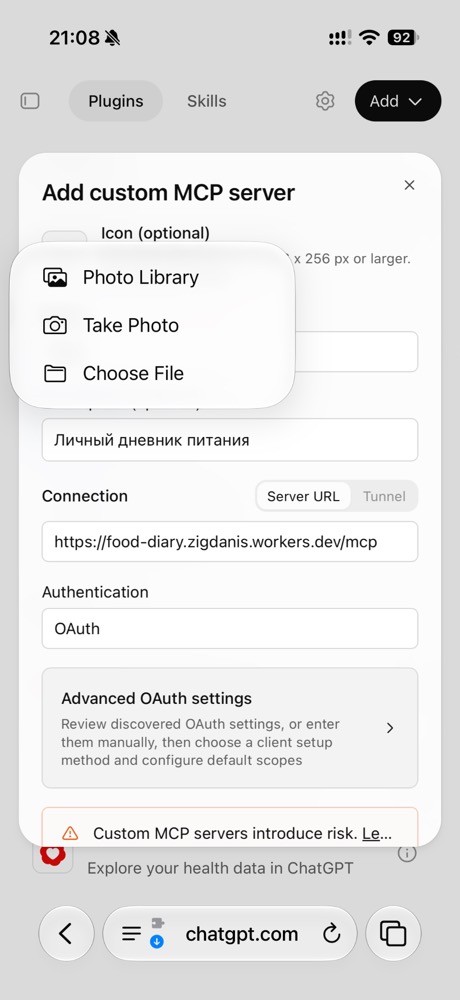
    The Icon menu: Photo Library, Take Photo, Choose File
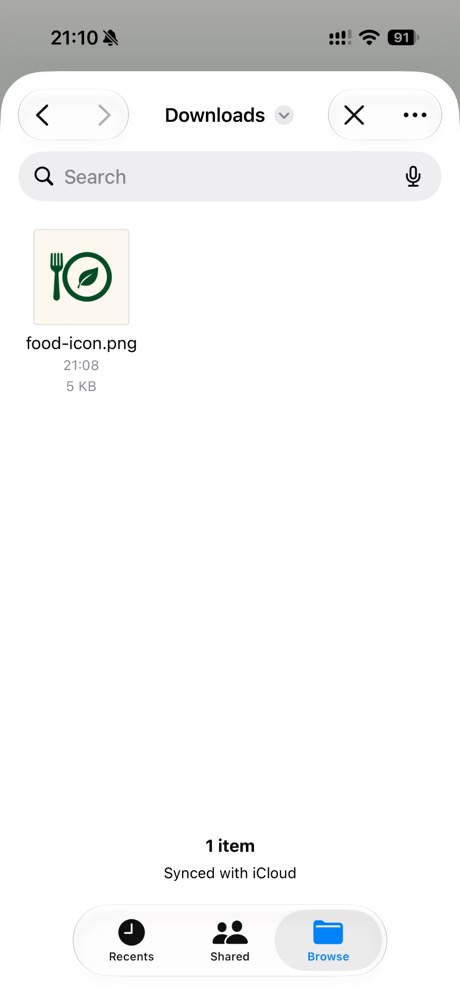
  6. Pick food-icon.png in Downloads

    The Downloads folder in Files with food-icon.png
  7. Paste the Server URL and create the plugin

    Tick I understand and want to continue and tap Create as a plugin.

    Server URL
    https://food-diary.zigdanis.workers.dev/mcp
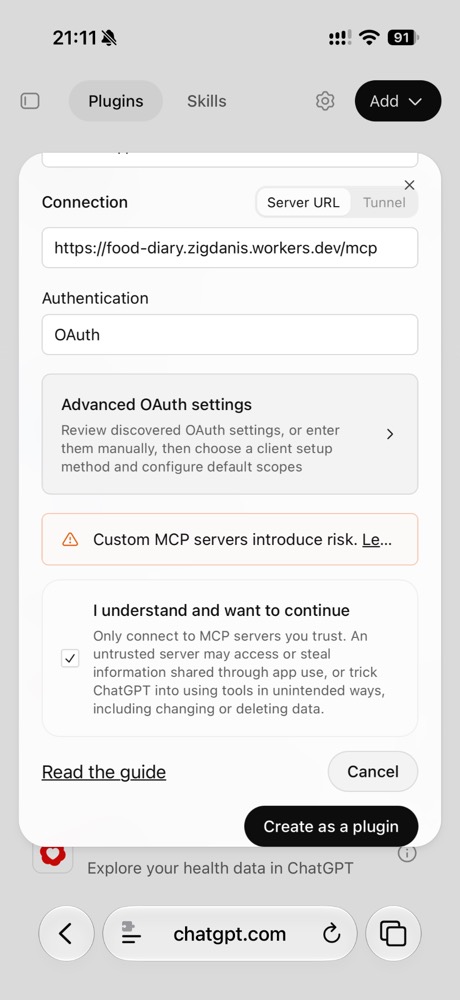
    Lower part of the form: Server URL, the consent checkbox and Create as a plugin
  8. Tap Connect Еда

    ChatGPT opens Еда's sign-in page.
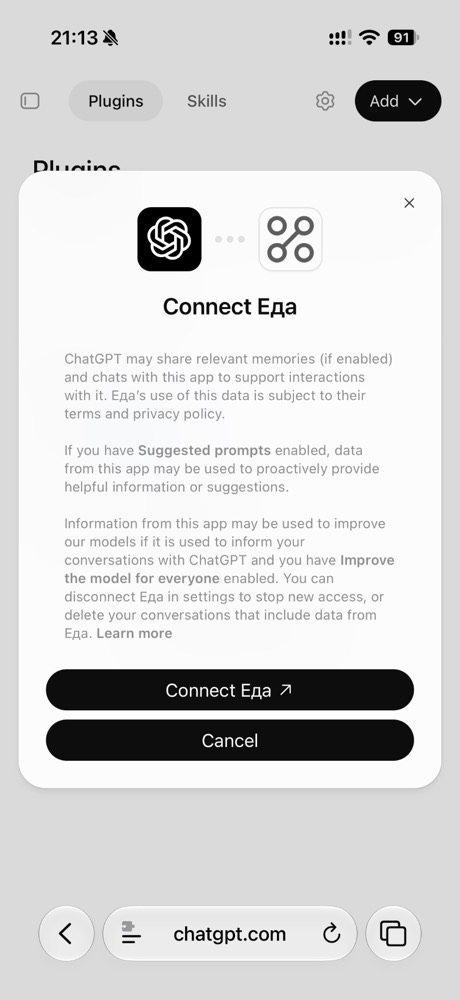
    The Connect Еда dialog with the Connect Еда button
  9. Paste the code into Invitation code

    Then tap Create a new Food account.
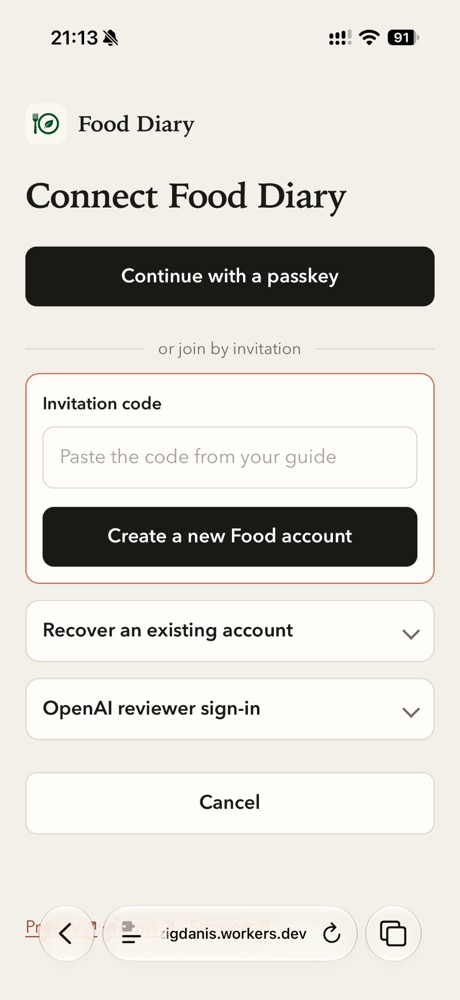
    Food sign-in page: the Invitation code field and the Create a new Food account button
  10. Save a passkey

    Tap Add Passkey and confirm with Face ID or Touch ID.

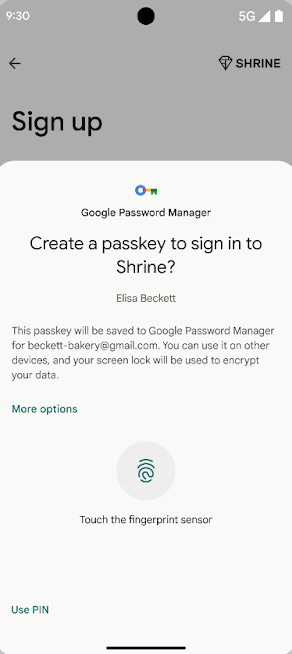
    Touch the fingerprint sensor or confirm with your screen lock.
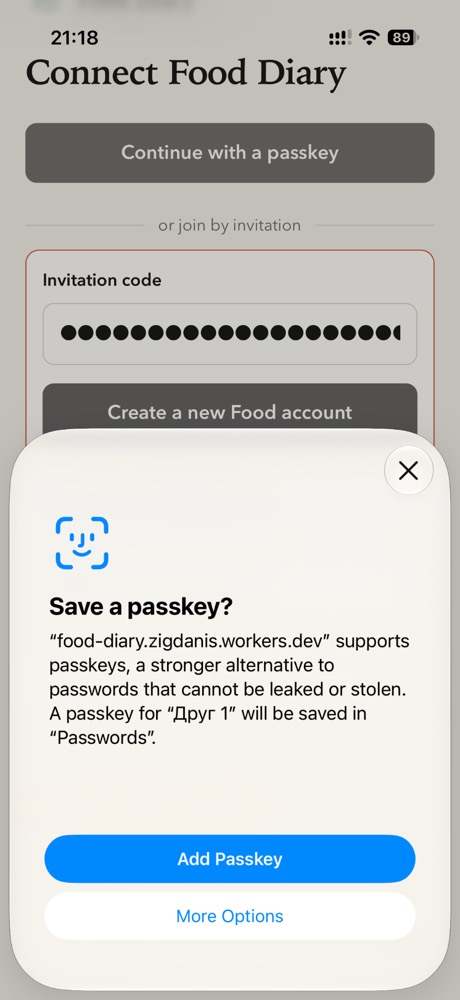
    iPhone offers to save a passkey; the Add Passkey button
    Android offers to create a passkey in Google Password Manager; touch the fingerprint sensor
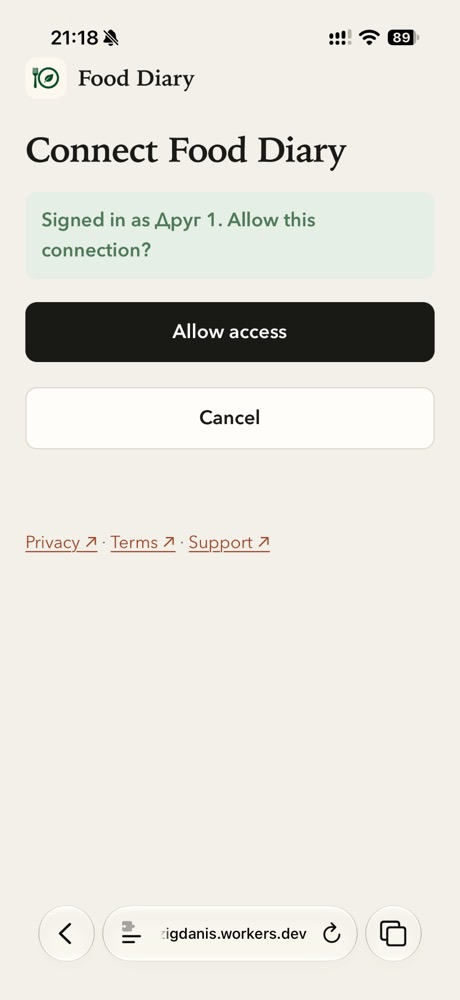
  11. Tap Allow access

    Signed in; the Allow access button
  12. Close the browser and open ChatGPT

    In a new chat, write @Еда

    @Еда show my diary for today
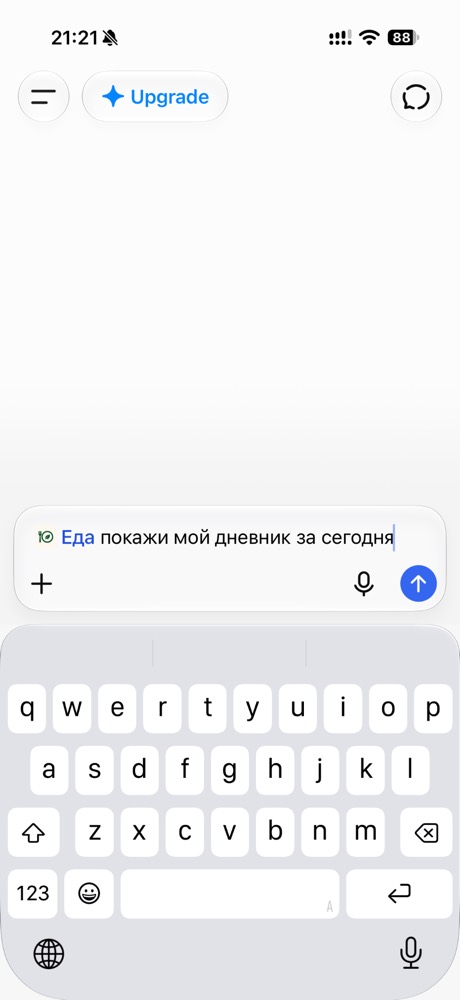
    The ChatGPT app with a message mentioning @Еда